

Oleg, a YouTube creator and developer, tried something cool: He wanted to create, build, and launch a mini-startup in under a week. He kept track of the whole thing—the time it took, the tools he used, the mistakes he made, and how he set things up—and we’ve turned it into a simple, how-to guide.
The result? A working service called ultrapreview.app, built in 6 days and 38 hours of focused work.

This isn’t about getting you pumped up. It’s a real story of how it went down.
Table of Contents
The Idea: Solve a Specific Problem
Oleg started with a problem many content creators know well: making YouTube thumbnails. Good thumbnails get more clicks, but making them in Photoshop can be tricky, time-consuming, and require a lot of tiny changes.
But now, AI image tools are pretty good. Tools like Magnific AI have shown that you don’t have to be a Photoshop pro to make great images.
So, Oleg had an idea: What if he built a simple website that uses AI to create and tweak thumbnails? No more Photoshop struggles needed.
It wouldn’t be a huge, complicated thing. Just a simple, focused tool.
What Finished Really Means
For Oleg, a product is only done when it meets these four points:
- Anyone can use it
- It does what it’s supposed to do
- It makes money
- It runs smoothly on its own for at least a week
If it can’t at least pay for its own costs, it’s just a practice project, not the real deal.
How It Was Built
1. Planning (40 Minutes)
Oleg spent the first 35 minutes checking out AI models on Fal.ai that he could use through an API. He looked at what they could do and how they worked. He picked Gemini 2.5 Flash, especially the parts that turn text into images and change one image into another.
At the same time, he used ChatGPT-4 Thinking to write up some plans. It didn’t really matter which AI he used; GPT, Claude, or Gemini would all work for planning.
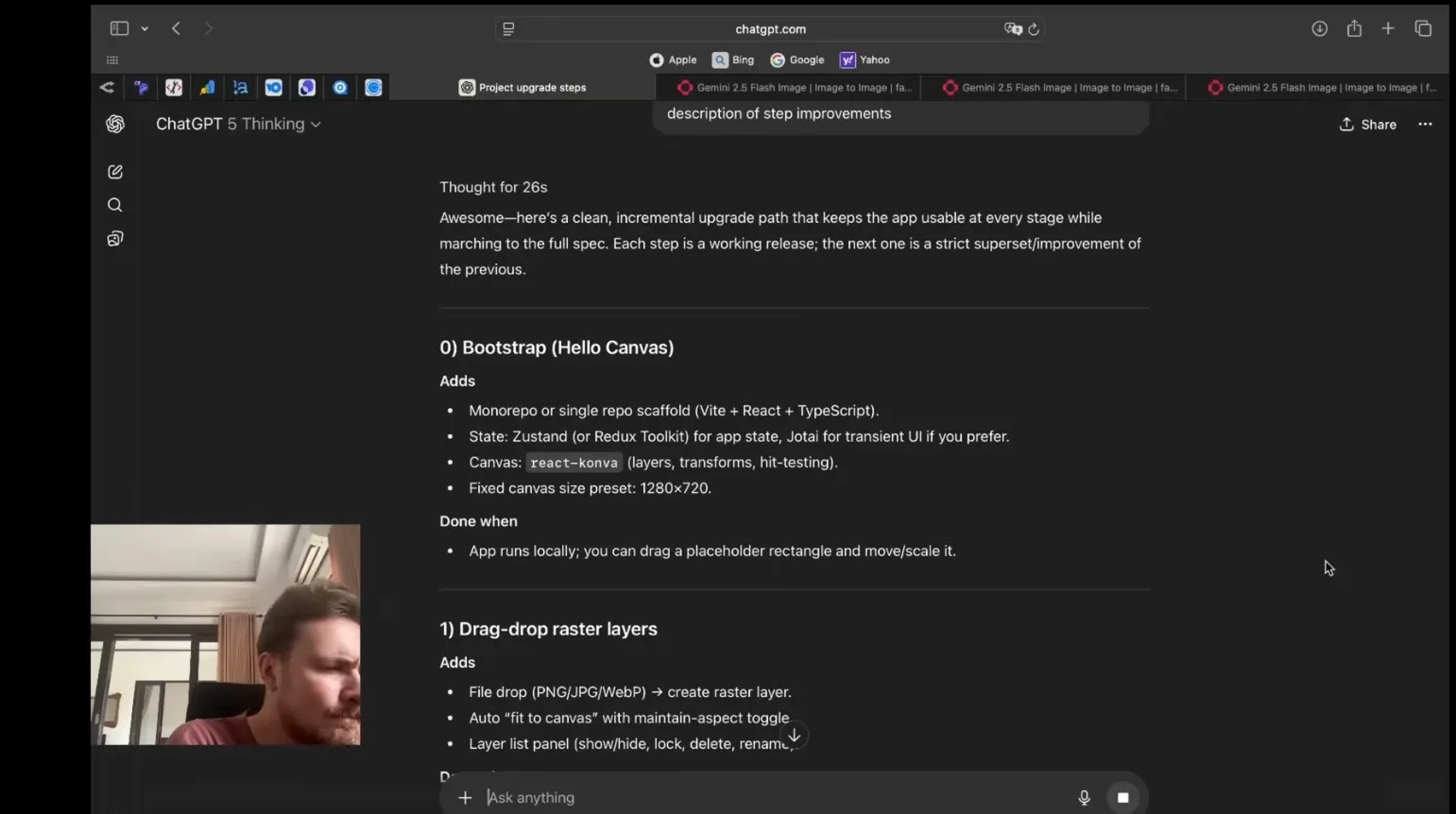
Then, he spent five minutes breaking the project into smaller, easier steps that he could launch one at a time. Each step would add something new without messing up what was already working.
One thing he noticed early on: AI-written plans tend to be too complex, with too many parts, fancy code, and things that aren’t really needed. He had to go through it all and cut it down to the basics.
2. Tech Used
He only used tools he already knew well.
- Backend: Python + FastAPI
- Frontend: Next.js + Tailwind
- Canvas: React Konva (for things like layers, text, and putting images together like in Photoshop)
Trying to learn new tools while building would have been a mess. Using familiar tools helped him go faster and think more clearly.
3. Coding with AI Help
The main tool was Claude Code (Sonnet 4).
After using up his initial free usage, Oleg upgraded to the $100 Max plan to get more access to Claude Opus. Opus is great for quick bursts of work but has limits.
Most of the time, he stuck with the default plan: Opus would handle the first 20 or so requests, then it would switch to Sonnet.
Opus is good for getting things done fast because you don’t have to worry about paying for every little thing.
4. The First Version (10 Hours)
It took about ten hours to get the first version working. Things started to come together, but there were some small problems with the way things looked and worked in the browser.
How it went hour by hour:
- Hour 1: Got the canvas working, able to import and export images
- Hour 2: Made it possible to create and choose projects, save progress
- Hour 5: Added background removal
- Hour 5.5: Added image creation (about 30 minutes)
- Hour 6: Added AI-based editing (about 40 minutes)
- Hour 8: Added basic text layers
- Hour 9: Added AI-assisted text tweaking
- Hour 10: Able to create multiple AI layers
The first version wasn’t perfect—previews were too big, the Undo/Redo feature was a bit shaky, and it wasn’t always clear when things were loading. But it worked.
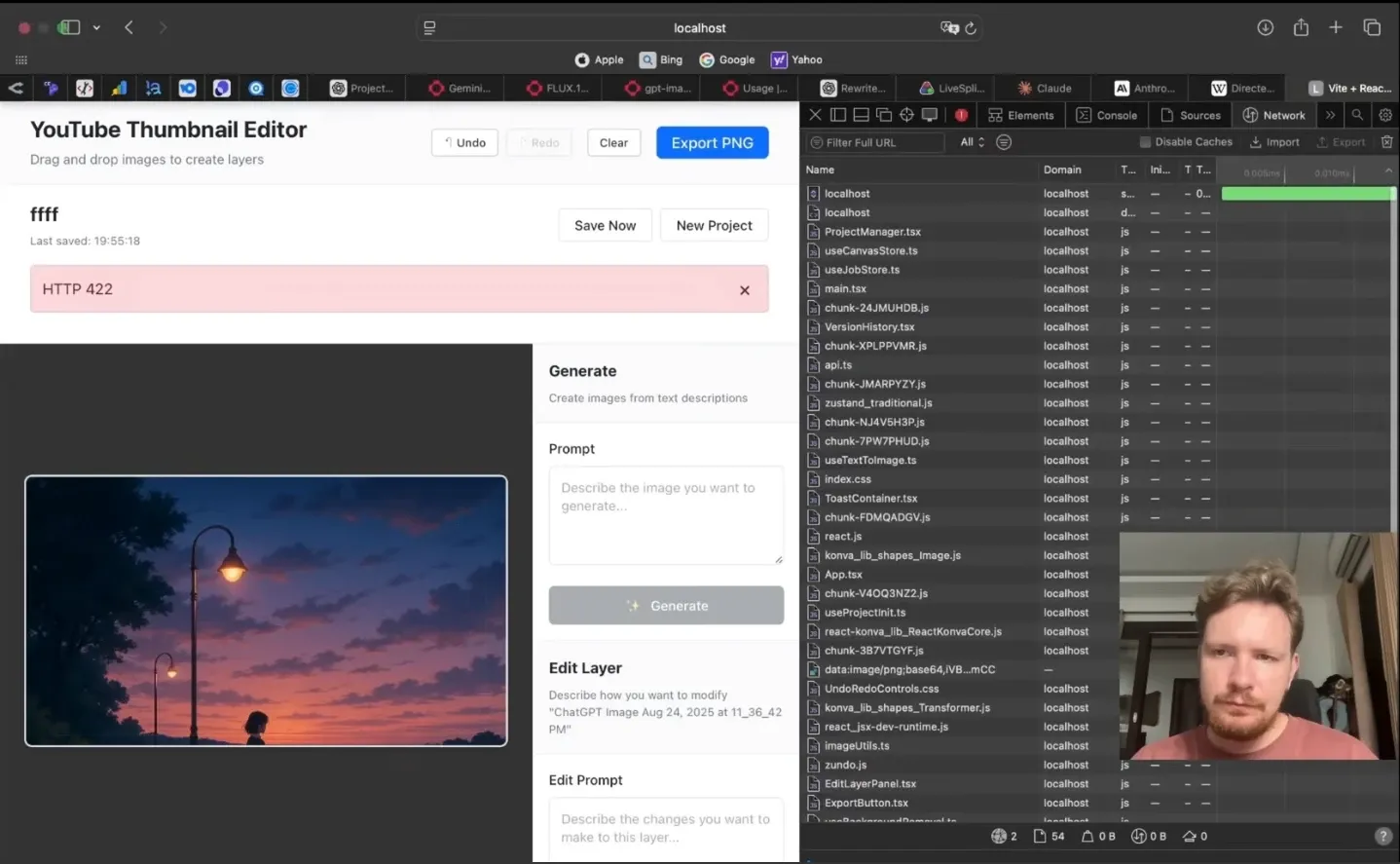
When you’re starting a company, it’s better to have something that works but isn’t pretty than something that looks great but doesn’t do anything.
Five Rules for AI-Powered Building
1. Stick to What You Know
Trying to use new tools can lead to confusion when AI gets involved.
If you’re starting from scratch, Python + FastAPI + Next.js + Tailwind is a good base.
2. Don’t Get Fancy Too Soon
Oleg tried to add a way to switch between different versions of images. After an hour of struggling, he gave up. It sounded cool, but it wasn’t really important at that point.
Focus on what’s most helpful, not what looks the best.
3. Only Let AI Do What You Understand
If you can’t explain how a feature should work—including all the different possibilities—don’t let an AI try to build it.
If you’re not clear about what you want, you’ll get something that doesn’t work right.
4. Save Your Work Constantly with Git
Save every small change that works.
When using AI, expect things to go wrong. Protect what you’ve already done.
His routine:
- Save small changes
- Undo the last commit (
git reset --soft HEAD) - Combine the changes into one clean save
If something goes wrong, go back to the last working version immediately.
5. Use Special AI Helpers
Claude Code lets you create special Agents—separate areas where you can give detailed instructions.
Oleg set up two:
- Frontend Minimalist
- Backend Minimalist
He told each one to give simple, basic solutions without anything extra.
He also stopped Claude from starting services on its own. Automatic restarts often cause problems. It’s better to stay in control.
User Accounts (4.5 Hours)
At first, the app didn’t have user accounts. Oleg added Google OAuth—it’s easy to use, doesn’t require dealing with emails, and helps manage usage.
Then, he realized the frontend was running on plain React instead of Next.js. He had to redo it. Next.js was important for keeping things organized and managing URLs.
Credit System (1 Hour)
AI services need to control usage.
He created a Credits table. When people pay, they get credits. Each AI creation uses up some credits.
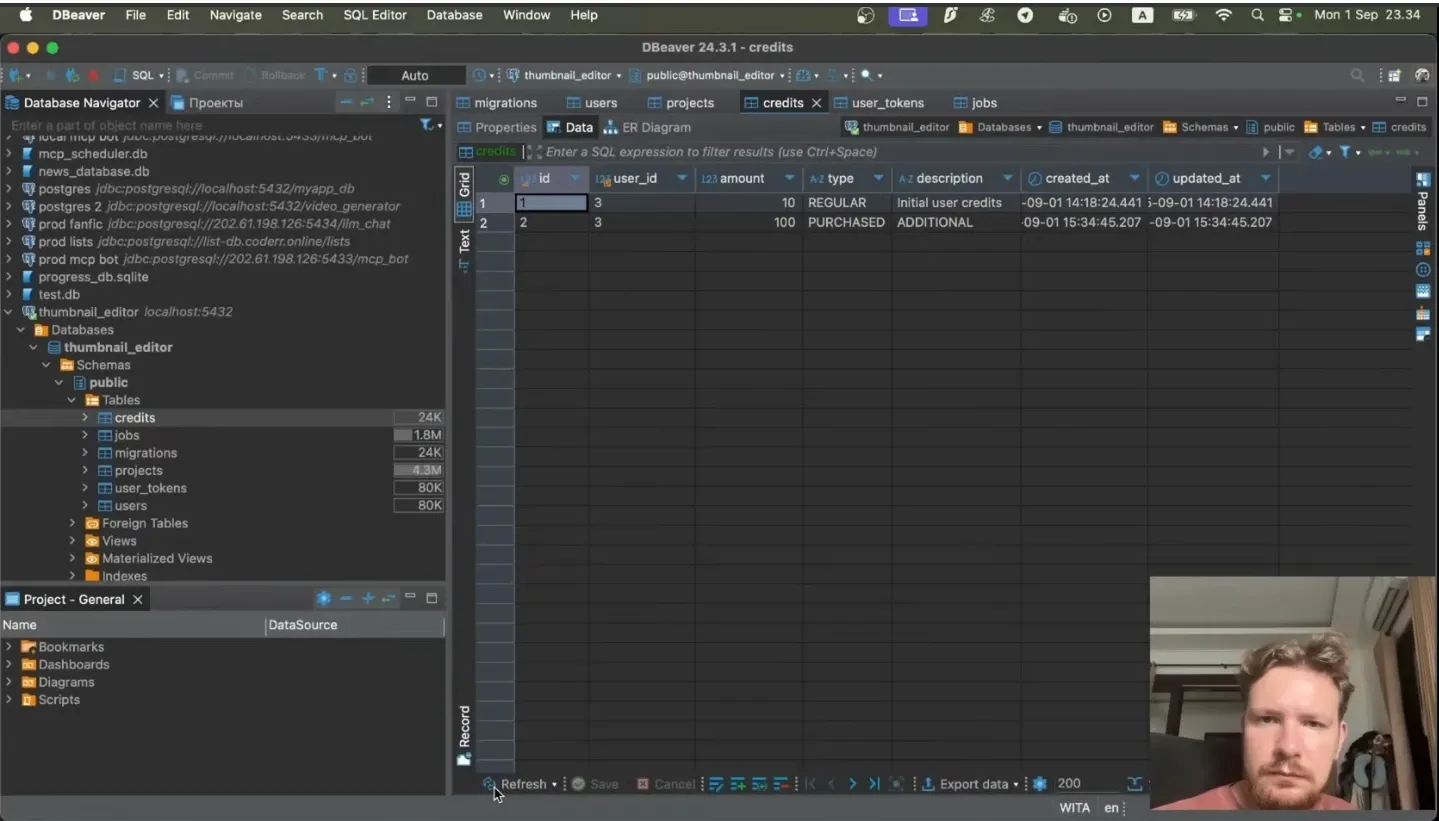
Three important safety measures:
- The backend checks the balance for every request (to prevent abuse)
- The frontend checks the balance to show users how much they have
- The balance is always displayed
The system worked well from the start.
Payment System (2–3 Hours)
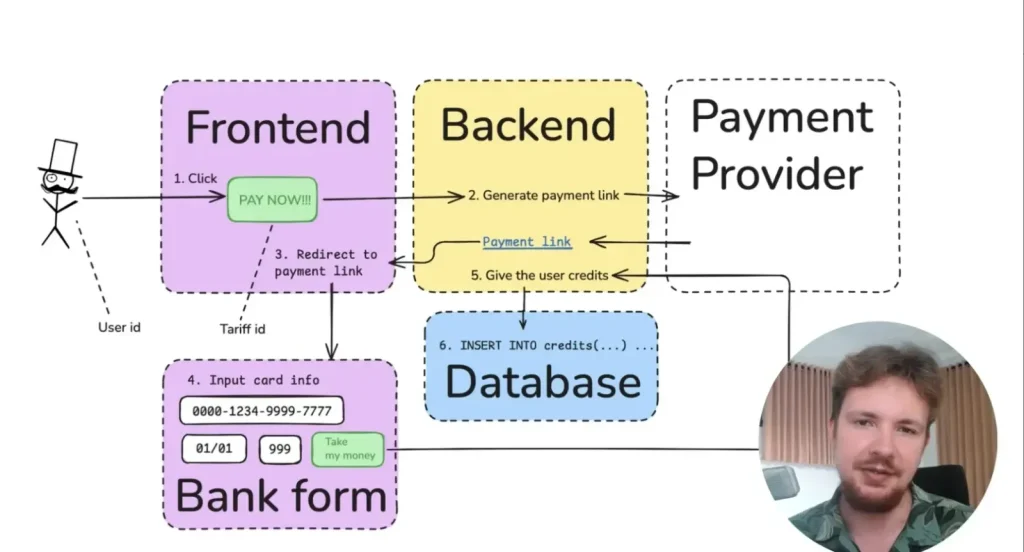
Here’s how it works:
- User picks a plan and clicks Pay.
- The frontend sends the user’s ID and plan ID to the backend.
- The backend contacts the payment provider (with the amount, currency, and other info).
- The provider sends back a payment URL.
- When payment is done, the provider sends a notification.
- The backend checks the status and adds credits to the account.
The most important rule: check every line of code carefully. Payment code needs to be perfect.
He used LavaTop—it has an easy-to-use API without too much complicated verification.
First setup: 1 hour. Fixing problems: another 1–2 hours.
Design (7 Hours)
Just asking for a cool design gives you generic results.
The breakthrough came when Oleg found examples on Pinterest and gave them to GPT along with some image samples.
He asked for two things:
- A style guide (colors, fonts, layout ideas)
- A sample page that follows the guide
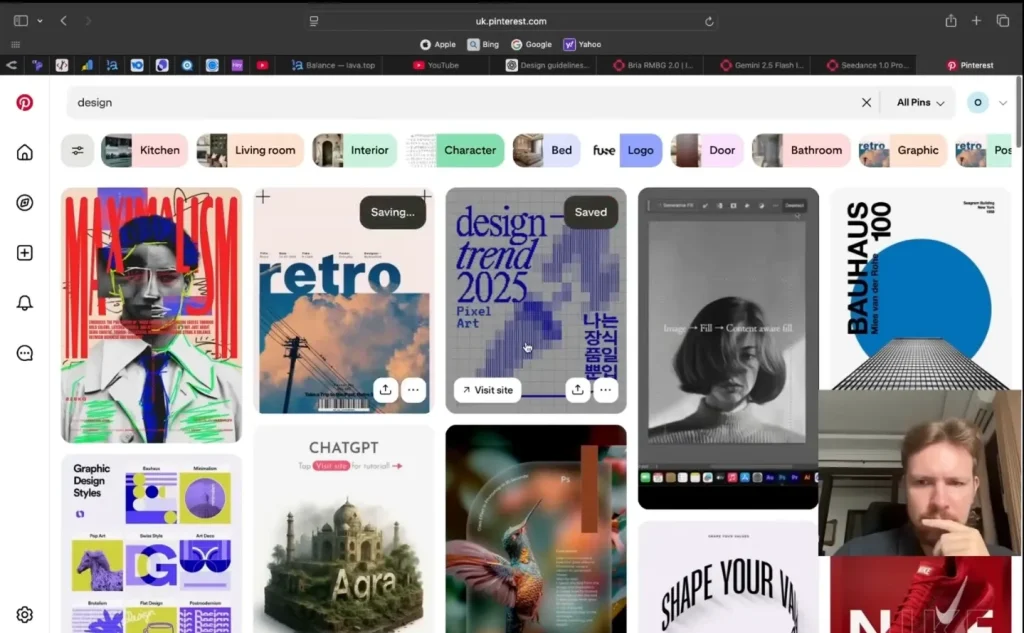
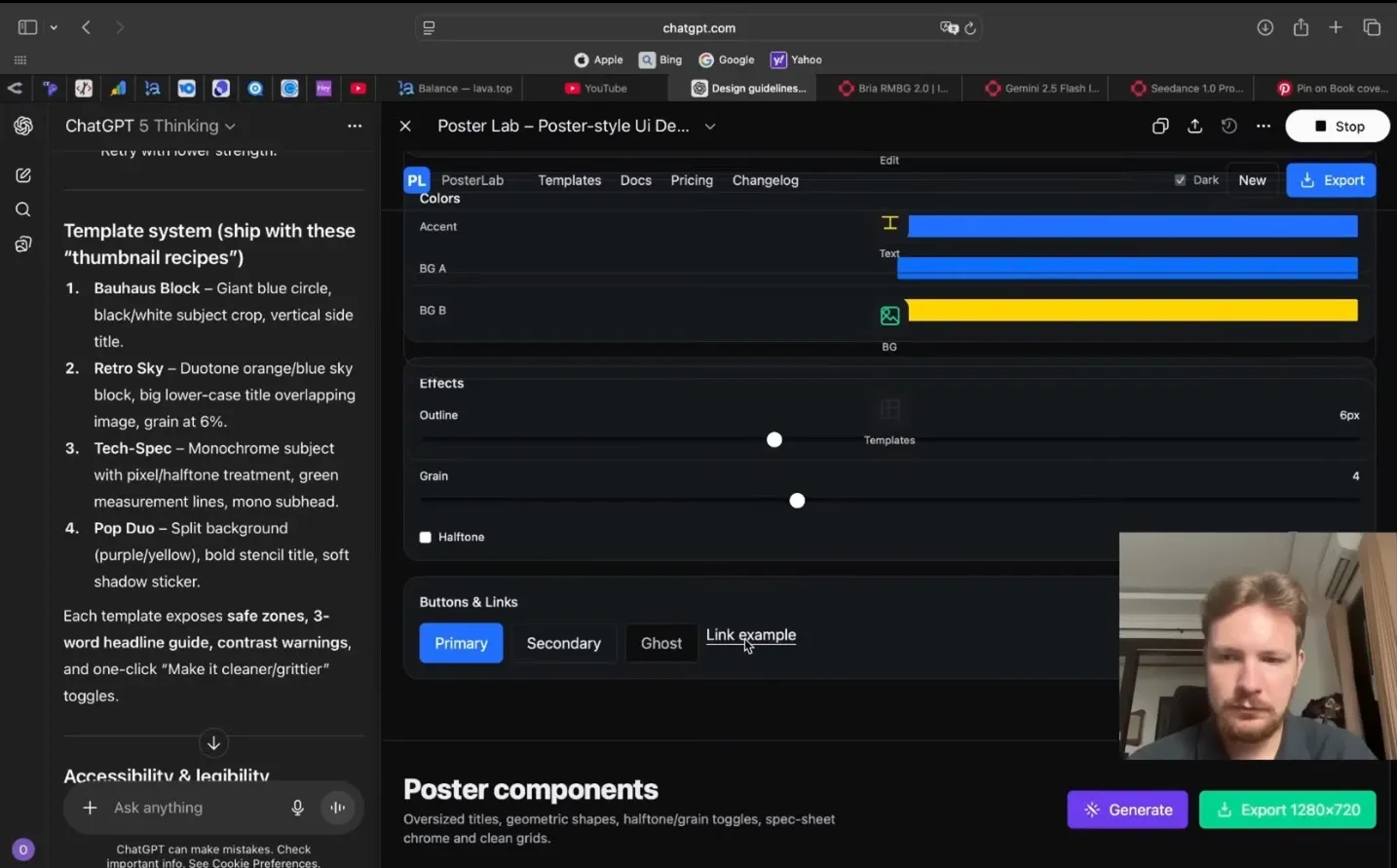
Then, he designed each page one by one—not the whole site at once.
Trying different things took seven hours, but the result was better than a generic template.
How It Was Deployed
Docker & Docker Compose
Docker helped keep everything in its own environment. Docker Compose managed the backend, frontend, and database.
Things like API keys, passwords, and settings were stored in .env files, with different versions for local and server use.
Every project had:
- Dockerfile
- docker-compose.yml
- Local container testing
Once tested, the code was sent to GitHub.
Hosting & Domain
Server: 1 CPU / 4 GB RAM VPS on Hostinger (Germany, Ubuntu).
Domain: ultrapreview.app, bought through GoDaddy for $10 a year.
Dokploy for Deployment
Dokploy made it easy to roll out Docker Compose through a simple interface. GitHub linked, so cloning the repository was no problem.
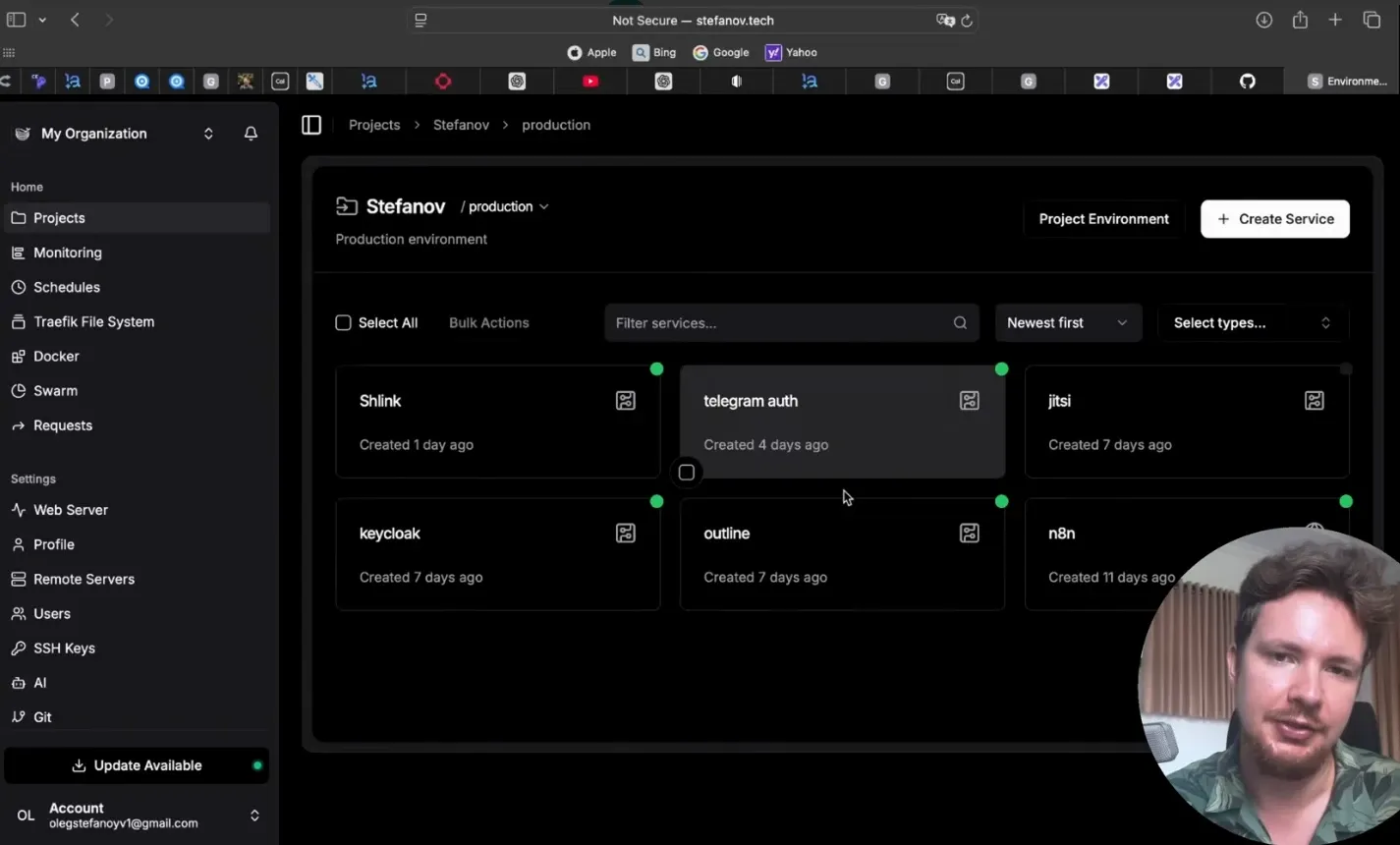
Secrets were set up in the Environment section. Deployment was started with one click. Domain and HTTPS were integrated easily.
Polishing and Monitoring (6 Hours)
Six hours were spent on making the interface look better, fixing OAuth issues, handling payment problems, and making the interface simpler.
Monitoring tools used:
- Plausible (analytics)
- Grafana + Loki (backend log checking)
Without good monitoring, fixing problems is just guessing.
Problems Faced
Caching Disaster
The frontend wasn’t showing changes—it was due to browser caching. After turning off caching, things got worse.
Oleg had deleted unused files. They weren’t unused.
Git rollback saved a lot of time.
Prompt Trouble
Claude redesigned the login page instead of the editor. The prompt mentioned the correct file but described the login page by mistake.
Lesson: Be specific to avoid problems. Rewrite the prompt instead of trying to work with the AI’s mistake.
Thoughts on AI-Driven Development
Give Feedback Like You’re Talking to a Person
Instead of pasting long error messages, describe what happened:
- Which buttons were clicked
- What was supposed to happen
- What went wrong
AIs respond better to stories than to raw data.
How Projects Grow
Small projects grow like a pyramid:
- 20 hours: a barely working prototype
- 10 hours: a somewhat stable system
- 5 hours: a polished product
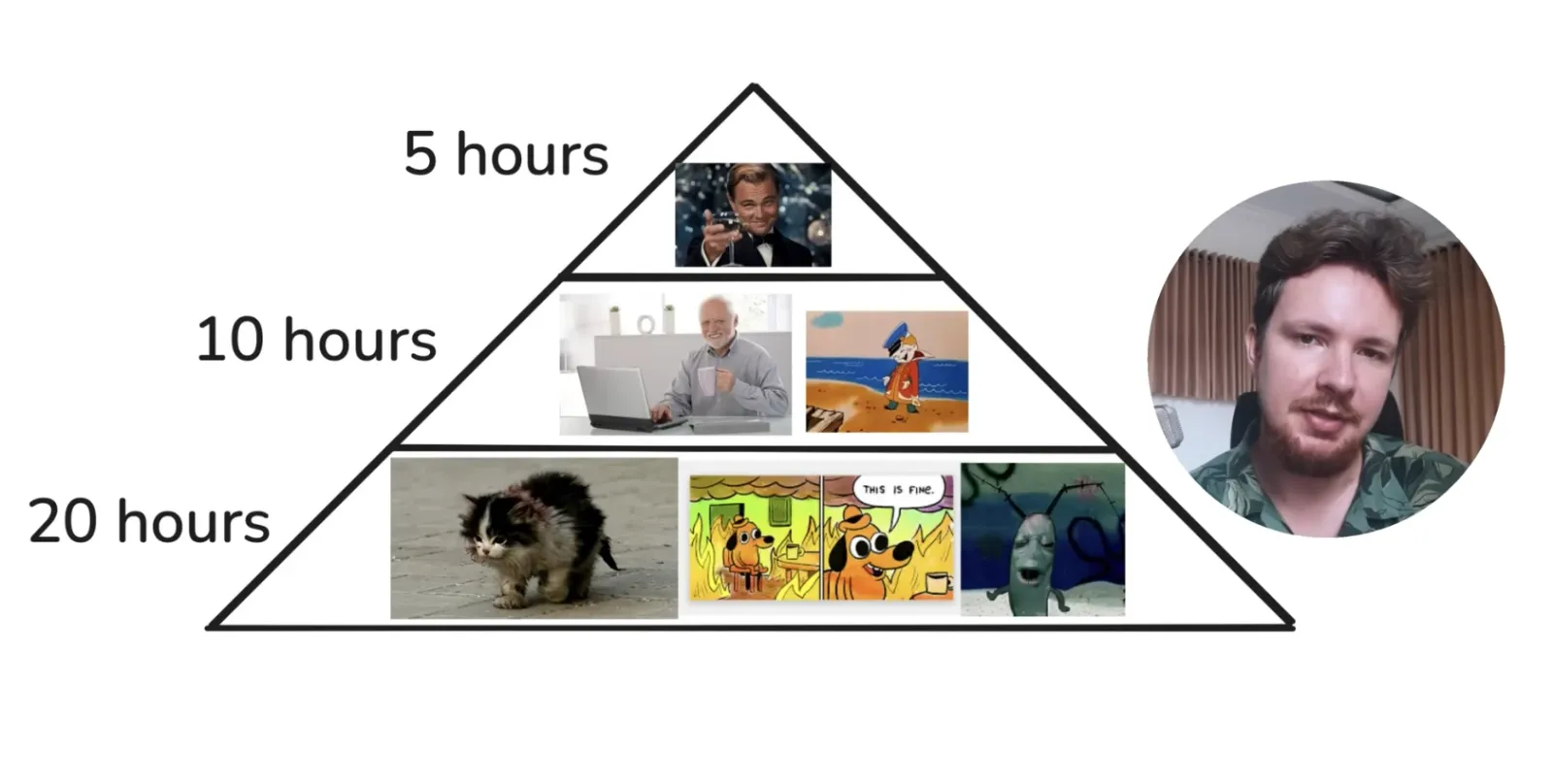
Don’t try to make it perfect from the start. Build the basics first, then make it better over time.
You Still Need to Know the Basics
You don’t need to remember every detail, but you should understand:
- Backend vs frontend
- JSON and APIs
- Logging and debugging
- Browser DevTools
AI makes things faster, but it doesn’t replace basic knowledge.
Sprint, Don’t Marathon
Coding for 10+ hours straight makes things unclear.
Oleg suggests working in 2–5 hour sprints each day for a week. AI development isn’t always smooth—it goes back and forth between thinking hard and waiting for things to load.
Working at a steady pace keeps you fresh.
The Final Toolkit
- Backend: Python + FastAPI
- Frontend: Next.js + Tailwind
- AI Engine: Claude Code (Sonnet 4 / Opus)
- Deployment: Docker + Dokploy
- Hosting: VPS (Hostinger)
- Domain: GoDaddy
In 38 hours of hard work, Oleg launched a working, AI-powered service—with accounts, payments, image generation, deployment, and monitoring all set up.
The point is not about hype. It’s about staying focused: pick a small problem, avoid unnecessary things, work on it constantly, and let AI help you—not control you.
If you’ve done something similar, share it. The next 38-hour project could be yours.
Source: Valeria Turchak